Image Compression and Web Formats: A Practical Guide
Choose between JPEG, PNG and WebP, resize images intelligently, and reduce file size without hiding important visual damage.
Start with the destination
A useful image workflow begins with where the file will appear. A full-width website photograph, a transparent logo, an email attachment and a printable document have different requirements. Record the maximum displayed dimensions, whether transparency is needed, and any upload-size limit before changing the image.
Resize before aggressive compression when the source is much larger than its display size. A browser should not download a 4000-pixel photograph merely to display it at 800 pixels. Keeping a separate original protects you from repeated lossy exports.
- Photographs: compare JPEG and WebP
- Logos or sharp graphics: compare PNG and WebP
- Transparency: avoid JPEG
- Print: retain enough pixels for the intended physical size
How formats differ
JPEG is widely supported and efficient for photographs, but every lossy re-export can add blockiness, ringing and smeared detail. PNG preserves exact pixels and transparency, making it strong for interface graphics and screenshots, though photographic PNG files can be large. WebP supports both lossy and lossless modes and is useful for modern web delivery.
Conversion cannot recreate detail already removed. Saving a poor JPEG as PNG only wraps the damaged pixels in a lossless file; it does not restore the original.
A repeatable quality check
Inspect the result at its actual display size and at 100% zoom. Look closely at faces, small text, gradients, hair, foliage and high-contrast boundaries. Compare file size only after the visual result meets the purpose. For a set of images, use consistent dimensions and quality rules rather than optimizing each file randomly.
- Keep the untouched source
- Crop for composition
- Resize to the required dimensions
- Export once at a sensible quality
- Check the final page on a mobile connection
Using the LipiCode compressor
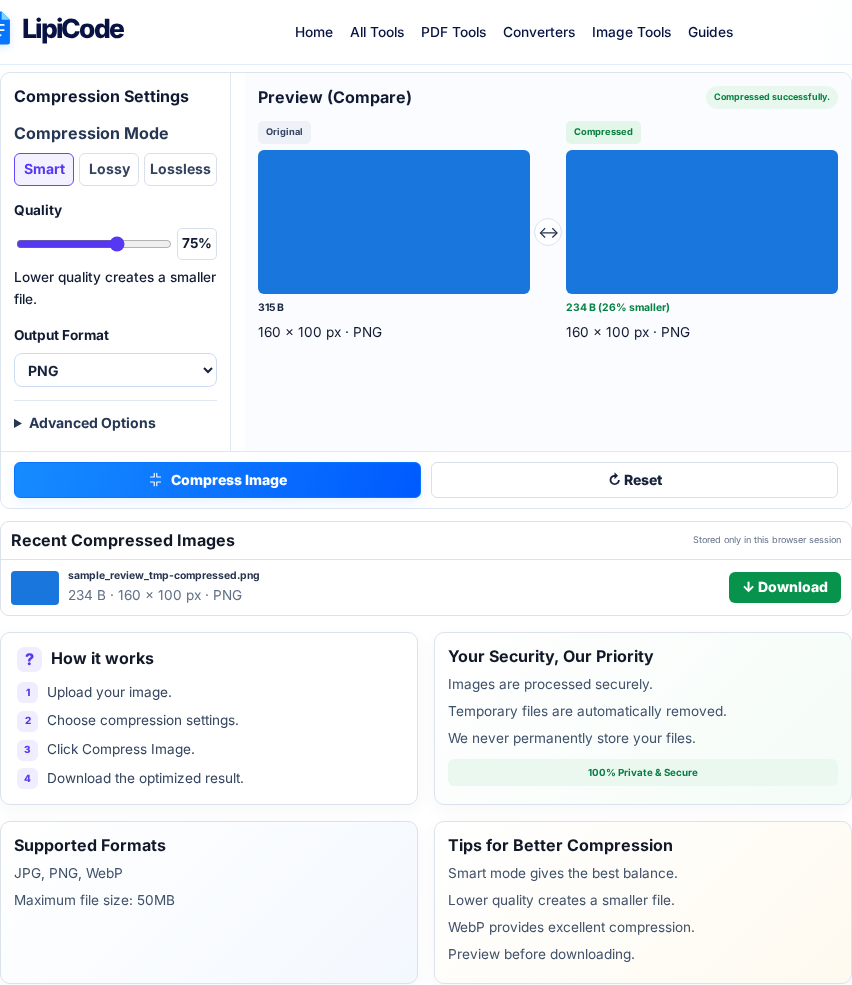
Choose one JPG, PNG or WebP up to 50 MB. The preview runs locally, but Compress Image uploads the source for the final export. Preserve dimensions when the image is already the right size; otherwise set a maximum width before lowering quality.
Compare the actual download with the original. If the server cannot make an unresized file smaller, it may return the source bytes. This is not a failure: trying a different format or reducing excessive dimensions can be more useful than repeatedly exporting the same image.
- Check transparency before choosing JPEG
- Inspect small text at 100% zoom
- Use the final downloaded file for comparison
Examples from LipiCode
These screenshots use synthetic sample inputs, not personal documents.
References and further reading
These primary or authoritative references support standards-dependent details. The examples explain how these details apply to the workflow on this site.