PDF Conversion Quality: What Transfers and What Does Not
Understand why PDF and Word conversions differ, when OCR is necessary, and how to verify a converted document.
Fixed pages versus editable structure
A PDF describes the appearance of pages. A Word document describes editable paragraphs, styles, tables and page rules. When converting PDF to Word, software may need to guess reading order and reconstruct structure that is not explicitly stored. That is why visually complex PDFs can produce unexpected text boxes or line breaks.
Word-to-PDF is more predictable because it moves from structured source content to a fixed page. Even then, unavailable fonts, tracked changes, linked resources and unusual page sizes can affect output.
When OCR is required
A scanned PDF may contain only page images. Optical character recognition estimates the characters shown in those pixels. Clean, straight, high-resolution scans perform better than skewed, compressed or handwritten pages. Names, account numbers, punctuation and tables need manual checking because a plausible OCR result can still be wrong.
- Confirm the document language
- Correct page rotation and skew
- Compare critical values with the scan
- Retain the original for reference
Verification checklist
Open the converted file in the application your recipient will use. Review every page, not only the first. Check headings, page breaks, table rows, headers, footers, hyperlinks, images and selectable text. For confidential material, understand whether a chosen conversion runs locally or uploads the document temporarily.
PDF to Word on LipiCode
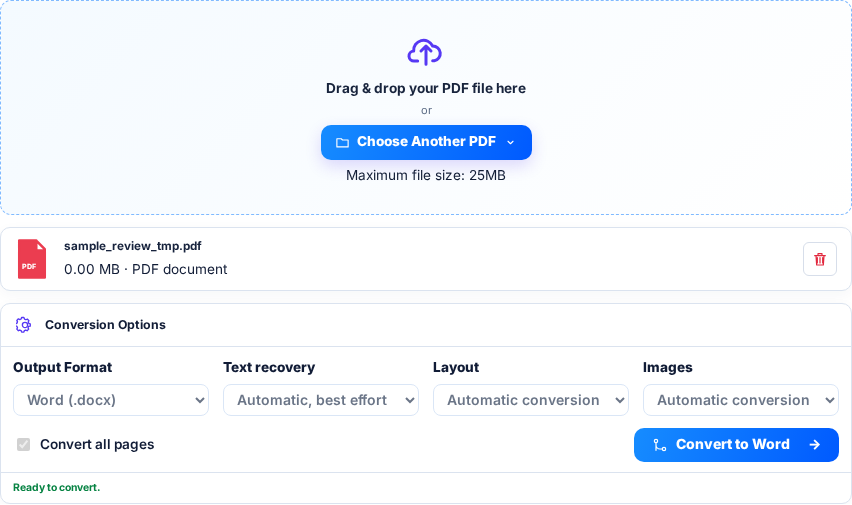
Upload a non-encrypted PDF under 25 MB. The server produces DOCX using automatic conversion and best-effort text recovery. All pages are processed; separate manual OCR, image-quality and flowing-layout modes are not offered.
For a short report, edit a heading and a paragraph in the DOCX, then compare a table and important numbers against the PDF. Recovered text can appear at the end if the primary conversion missed content. Check for repetitions as well as omissions.
- Retain the source PDF
- Proofread scanned text
- Do not assume signatures, forms or reading order transfer
Combining images into a PDF
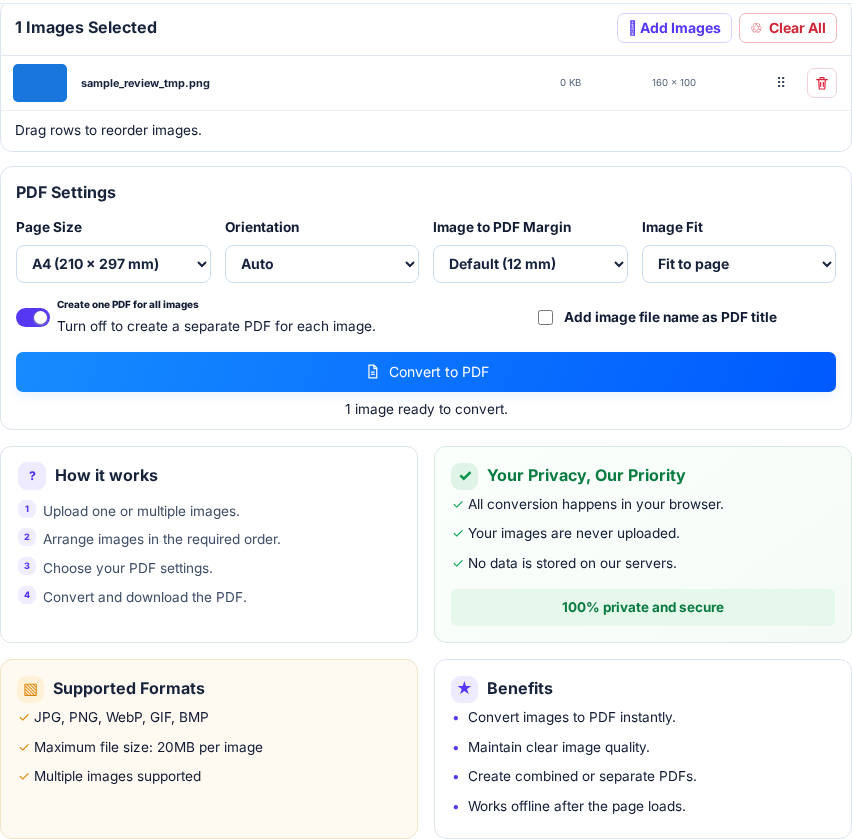
Image to PDF runs in the browser. Add JPG, PNG, WebP, GIF or BMP files up to 20 MB each, arrange their order and choose page settings. Fit to page keeps the whole image; Fill page can crop it. Keep combined mode on for a single PDF.
Try three receipts on A4 pages and verify the downloaded PDF has three pages in the intended order. This creates image pages, not selectable text. On a phone, use a small batch first because decoding full-resolution images can use much more memory than their compressed file size.
- Correct rotation before conversion
- Check the document edges
- Use OCR separately if searchable text is required
A page-order check before sharing
Make a three-page sample whose pages say Cover, Details and Appendix. In Organize PDF, request pages 3,1 and rotate the first output page by 90 degrees. The downloaded document should contain Appendix followed by Cover; Details should be absent. This checks page selection, order and rotation independently of how attractive the preview looks.
For a separate numbering check, keep all three source pages and label only pages 2–3, starting at 5 with the last-number format. The expected labels are 5 / 6 and 6 / 6; the cover remains unchanged. These are visible marks, not the PDF viewer’s internal page labels. Check the result after download, and keep a source copy because editing can invalidate signatures.
- Use clearly different page titles
- Confirm the exported page count
- Check order and rotation in the downloaded file
- Inspect forms, links and bookmarks separately
Examples from LipiCode
These screenshots use synthetic sample inputs, not personal documents.